Arjun Mehta
Dedicated Server SpecialistArjun Mehta is a cloud infrastructure consultant specializing in bare-metal architectures, network routing, and high-traffic database clustering.

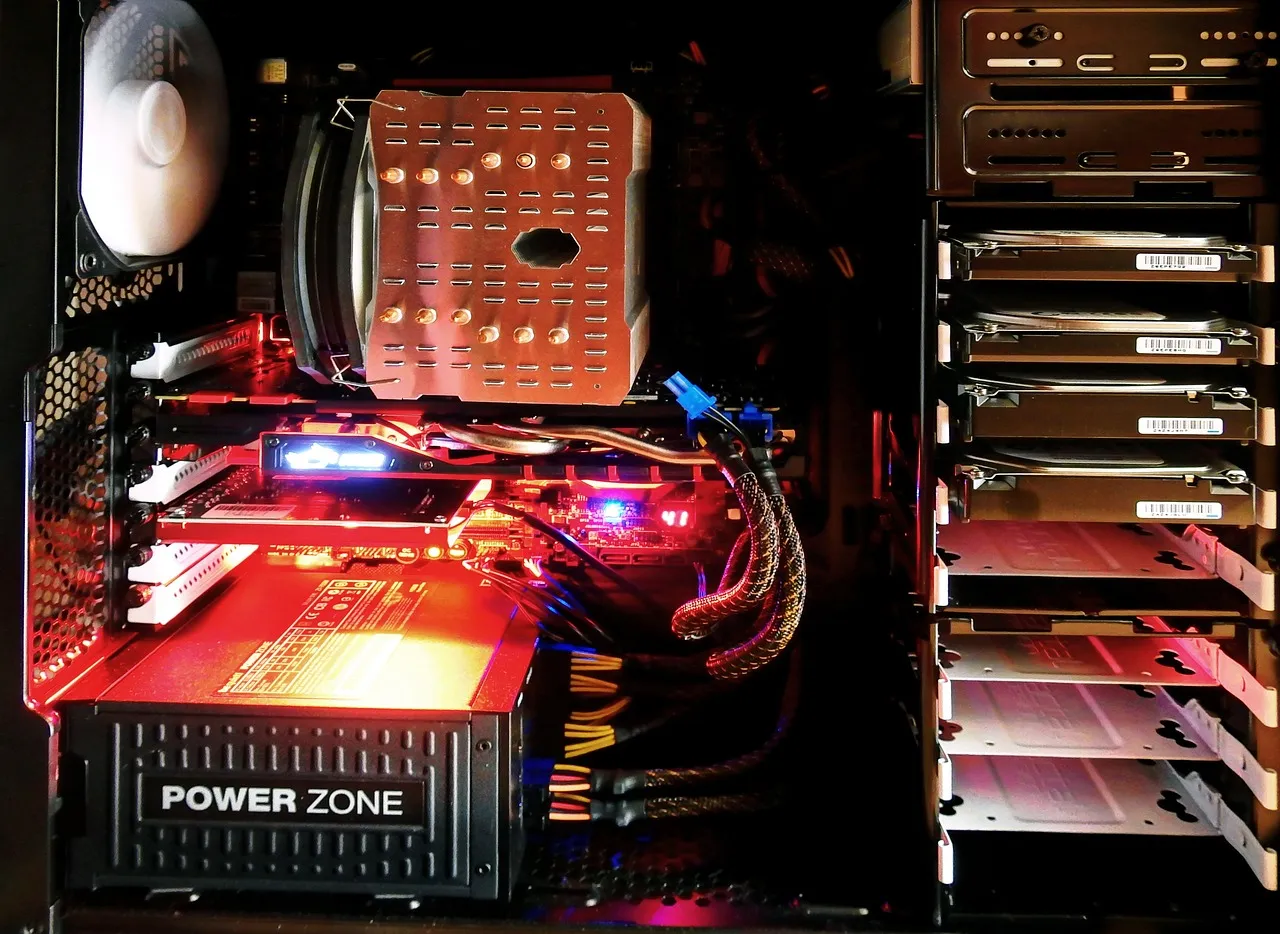
When you drag a button onto a Bubble canvas, wire a FlutterFlow action to a Claude API call, or build a client portal in Glide that generates AI summaries — what actually executes that logic when your user clicks? The answer is not on your screen, and it is not in the builder's WYSIWYG interface. It is running on servers, databases, and increasingly GPU-accelerated inference endpoints that the no-code platform provisions, configures, and abstracts away on your behalf. Every no-code AI app builder is, at its architectural foundation, a hosting no code ai app builder platform — a managed hosting service wrapped in a visual development environment — and understanding what happens under that abstraction layer is what separates builders who ship reliable, performant applications from those who discover structural limitations only after their app has real users.
The rise of AI-native no-code platforms — builders that integrate large language models, image generation, speech-to-text, and retrieval-augmented generation directly into the development interface — has made the hosting question more urgent, not less. A Bubble app that calls GPT-4o on every user action, a FlutterFlow app with a vector database powering semantic search, a Softr portal that generates personalized AI reports from Airtable data — each of these imposes CPU, memory, concurrency, and latency demands on the underlying hosting infrastructure that go far beyond what a simple CRUD app requires. The platform handles the infrastructure, but the platform's infrastructure has limits, pricing tiers, and architectural assumptions that directly constrain what your app can do, how fast it responds, and how much it costs to operate at scale. At Hosting Captain, we have analyzed the hosting architectures of the major no-code AI platforms — Bubble, FlutterFlow, Glide, Softr, and the emerging wave of AI-forward builders — and the consistent finding is that the platform's hosting decisions become your application's constraints, whether you understand them or not. For foundational context on the server infrastructure that underpins AI workloads, our guide to AI hosting fundamentals explains the GPU-powered backend, inference engines, and orchestration layers that make AI features possible on any platform, no-code or otherwise.
The practical questions that this guide answers are the ones no-code builders encounter after the honeymoon phase: Why does my Bubble app slow down when fifty users are active? Can I connect my Glide app to a self-hosted AI model running on my own GPU server? What happens to my FlutterFlow app's backend when Firebase's free tier runs out? When should I stop relying on the platform's built-in hosting and bring my own server infrastructure into the architecture — and how? These are simultaneously hosting questions and architecture questions, and the no-code platforms, for all their power, provide remarkably little visibility into the answers. This guide maps what actually runs under the hood of each major no-code AI builder, identifies the architectural constraints that matter for performance and cost, and provides a decision framework for knowing when to stay within the platform's hosting envelope, when to extend it with external services, and when to graduate to a hybrid architecture where you own the infrastructure that serves the most demanding parts of your application. If you are building anything beyond a simple prototype on a no-code AI platform, the hosting architecture described here is not optional background knowledge — it is the set of constraints that will define your app's ceiling.
Every no-code app builder is a multi-tenant hosting platform at its core, and understanding what that means technically is the prerequisite to making informed decisions about performance, cost, and architectural boundaries. When you publish a Bubble app, you are deploying application logic, database records, and workflow definitions onto Bubble's distributed hosting infrastructure — a fleet of application servers running Bubble's proprietary runtime, a managed PostgreSQL database cluster, a file storage system (AWS S3 under the hood), and a content delivery network that serves static assets. Your app does not have its own server; it runs as a tenant process on servers shared with other Bubble applications, with resource allocation governed by Bubble's plan tier (free, starter, growth, team, enterprise) and the platform's internal fair-use scheduling. The architecture is similar in principle to shared web hosting — multiple applications on shared infrastructure — but with a crucial difference: the "application" is not a set of PHP files and a MySQL database that you control, but a proprietary execution graph that Bubble's runtime interprets, a database schema that Bubble's abstraction layer manages, and an AI integration layer that proxies your API calls through Bubble's connector infrastructure.
FlutterFlow operates on a fundamentally different architectural model: it is a frontend builder that generates Flutter code (compiled to iOS, Android, and web), which connects to backend services that you configure separately — most commonly Firebase (Firestore for the database, Firebase Auth for authentication, Cloud Functions for server-side logic, and Firebase Storage for files). FlutterFlow does not host your backend; it generates the frontend that connects to your backend, and that backend runs on Google Cloud infrastructure under your own Firebase project. This architectural split — frontend generated by the platform, backend provisioned on your own cloud account — is both FlutterFlow's greatest strength (you control and own the backend infrastructure) and its greatest source of complexity (you are responsible for provisioning, securing, monitoring, and scaling that backend). Glide and Softr occupy yet another architectural category: they are data-connected frontend layers that render applications from external data sources — Google Sheets, Airtable, or (in Glide's case) Glide Tables, a built-in spreadsheet-like database. The "hosting" for a Glide or Softr app is the platform's rendering infrastructure plus the external data source's API performance characteristics, which means your app's speed is fundamentally constrained by how fast Google Sheets or Airtable can serve API responses — a bottleneck that no amount of platform optimization can eliminate.
The AI dimension adds a fourth architectural layer across all of these platforms: the inference endpoint. When your Bubble app calls the OpenAI API through Bubble's API Connector, the prompt travels from the user's browser → Bubble's application server (which executes the workflow) → OpenAI's API endpoint (which runs the model on NVIDIA GPUs) → back through Bubble's server → to the user's browser. Each hop adds network latency, and the Bubble server in the middle adds processing overhead — API Connector calls consume Bubble's "workload units," the platform's internal measure of server-side computation, and AI API calls with large prompts and streaming responses consume these units disproportionately. When your FlutterFlow app calls an AI API, the path is user's device → Firebase Cloud Function (or direct from the Flutter client) → AI API endpoint, which eliminates one architectural hop compared to Bubble but introduces the complexity of managing API keys securely in Cloud Functions rather than exposing them in client-side code. When your Glide or Softr app integrates AI, the call flow typically goes through the platform's own integration layer — Glide's AI column types, Softr's AI blocks, or Make/Zapier automation middleware — which adds the platform's processing overhead and rate limits on top of the AI provider's API constraints. The W3C web standards for HTTP, WebSocket, and Server-Sent Events protocols define the transport layer that all of these AI integrations rely on, and understanding those standards helps you evaluate whether a platform's AI integration architecture will support the streaming, real-time, or high-throughput interaction patterns your application needs. For readers evaluating whether to run AI models on platform-provided infrastructure or bring their own GPU resources, our GPU hosting buyer's guide compares the cost, performance, and operational implications of every major GPU infrastructure option from cloud instances to bare-metal servers.
Bubble is the most ambitious no-code platform architecturally — it attempts to replace the entire web development stack (frontend, backend, database, file storage, background workflows, API integrations, and now AI) with a visual programming environment — and the hosting infrastructure that executes this ambition is correspondingly complex. Understanding Bubble's hosting architecture means understanding four distinct resource dimensions that Bubble's pricing tiers meter: server-side workload units (the computational capacity used to execute workflows, process API calls, and render pages), database storage and operations (PostgreSQL rows stored and queries executed), file storage (uploaded images, documents, and assets in S3), and AI-specific consumption (API Connector calls to external AI services, and increasingly Bubble's own native AI features). These dimensions are not academic — they are the constraints that determine whether your app stays on the $32 per month starter plan or requires the $349 per month team plan with dedicated server capacity.
A Bubble application server runs on AWS infrastructure that the Bubble team manages, and each app on the starter and growth plans operates on shared application servers — multiple Bubble apps running on the same EC2 instance, with Bubble's runtime scheduler allocating CPU time and memory across tenants. The practical implication is that your app's performance is influenced by the activity of other apps on the same server: a neighboring app experiencing a traffic spike or executing a compute-heavy workflow can degrade your app's response time, and you have no visibility into or control over this co-tenancy effect. Bubble's dedicated plan ($349 per month at current pricing) moves your app to its own isolated server instance, eliminating the shared-resource variability but still operating within Bubble's proprietary runtime, which imposes its own performance characteristics — Bubble's server-side workflow engine is single-threaded per user session, meaning that a long-running AI API call with streaming response will block that session's workflow execution until the stream completes, a constraint that shapes how you should architect AI interactions within Bubble apps.
The workload unit system is Bubble's internal resource metering mechanism, and it is the dimension that most frequently surprises builders who integrate AI features. Every server-side action — running a workflow step, executing a database query, making an API Connector call, processing a conditional — consumes workload units. A simple app page load might consume 0.5-2 workload units. An AI-powered workflow that calls an external LLM API, parses the JSON response, runs a database search based on the result, and returns data to the frontend might consume 10-50 workload units depending on prompt size, response processing, and the number of workflow steps involved. Bubble's starter plan includes approximately 500,000 workload units per month; at 50 workload units per AI interaction and 100 AI interactions per day, your monthly workload unit consumption reaches 150,000 — 30% of the plan's allocation consumed by a single AI feature. The growth plan's 2.5 million workload units provide more headroom, but the scaling math is linear: every AI feature you add, every user who triggers it, consumes workload units that accumulate toward the plan limit. When the limit is hit, Bubble does not disable your app — it charges overage fees at rates that can surprise builders who did not track their workload unit consumption alongside their AI feature development. For readers who need a foundation in how server resources are allocated and metered across hosting tiers, our VPS hosting fundamentals guide explains the resource isolation, guaranteed CPU, and predictable bandwidth allocation that differentiate VPS environments from the shared, metered infrastructure that no-code platforms abstract.
Bubble's database layer is a managed PostgreSQL instance — a genuine strength, as PostgreSQL is battle-tested, relationally complete, and capable of handling complex queries that a spreadsheet-backed platform simply cannot. However, Bubble abstracts the database behind a proprietary data model layer that prevents direct SQL access, constrains indexing strategies to what Bubble's UI exposes, and limits query optimization to Bubble's built-in tools. For AI applications that need to store and search embedding vectors, Bubble's database cannot natively perform approximate nearest neighbor (ANN) search — the core operation of semantic search and retrieval-augmented generation — because PostgreSQL's pgvector extension is not exposed through Bubble's abstraction layer. This means AI features requiring vector search must either use an external vector database (Pinecone, Qdrant, or Supabase with pgvector) accessed through Bubble's API Connector, or accept the latency and cost of full-text search through Bubble's native search capabilities, which are not designed for the fuzzy, semantic matching that AI applications typically require. The API Connector path works but introduces additional network latency (your Bubble server calling an external vector database API) and additional workload unit consumption for every API call — costs that compound with AI feature usage.
FlutterFlow's architectural model is the polar opposite of Bubble's: instead of providing an all-in-one hosting platform, FlutterFlow generates a Flutter frontend that connects to backend infrastructure provisioned under your own Google Cloud account, most commonly Firebase. This model gives you complete ownership of your backend infrastructure — you can configure Firestore indexes for query performance, write Cloud Functions in Node.js or Python for custom server-side logic, provision Firestore read/write capacity, and monitor backend costs through Google Cloud's billing dashboard with full granularity. But it also gives you complete responsibility: you must understand Firebase's pricing model (which charges per document read, write, and delete, not per server-hour, making costs unpredictable when AI features trigger batch document operations), you must secure your Firestore rules to prevent unauthorized data access, and you must manage the operational dimensions — monitoring, alerting, cost controls — that platforms like Bubble handle for you.
For AI features specifically, FlutterFlow's architecture opens up integration patterns that are more efficient than the platform-proxied approach. A FlutterFlow app can call AI APIs directly from the client-side Flutter code (using the HTTP package or a Dart OpenAI client), eliminating the platform-server processing overhead that Bubble's API Connector introduces. This direct path reduces latency by 50-150 milliseconds — the time Bubble's server spends marshalling the API request and response — and eliminates the workload unit consumption entirely. However, client-side API calls expose your API keys if not properly secured, which is why the production-grade pattern routes AI calls through Firebase Cloud Functions: the Flutter client calls a Cloud Function endpoint (which authenticates the user via Firebase Auth), the Cloud Function constructs the prompt (potentially enriching it with data from Firestore), calls the AI API with a server-side API key stored in Google Cloud Secret Manager, and streams the response back to the client. This architecture preserves the security of API keys while keeping the backend infrastructure under your control, and because Cloud Functions are serverless — they scale to zero when not in use and automatically scale up under load — you pay only for the compute time your AI integrations actually consume.
The hosting cost profile of a FlutterFlow + Firebase AI application breaks down into components that are individually controllable but collectively require active management. Firestore costs are dominated by document reads — every AI feature that retrieves context from your database, stores conversation history, or logs generated content adds to your read/write/delete count. A single AI workflow that retrieves 5 documents from Firestore, processes them through an LLM, and writes the result plus conversation metadata (3 documents) costs approximately $0.001 in Firestore operations at scale — negligible per interaction, but at 10,000 interactions per month it becomes a $10 per month line item that can grow to $100-500 per month for higher-volume applications if retrieval patterns are not optimized with caching. Cloud Functions costs for AI proxy endpoints are typically $0.50-$5 per month for small to medium applications because the functions are lightweight (200-500ms execution time for API proxying) and invoked only when the AI feature is used. The real cost variable is the AI API spending itself, which FlutterFlow's architecture passes through transparently rather than metering through a platform abstraction. Firebase Authentication (free for unlimited users with standard providers) and Firebase Hosting (free tier sufficient for most FlutterFlow web deployments) add negligible cost. The total infrastructure bill for a FlutterFlow AI app falls into two categories: the Firebase infrastructure ($0-$50 per month for most apps, scaling with Firestore throughput and Cloud Functions invocations) and the AI API spending ($10-$500+ per month depending on model choice, prompt size, and conversation volume). This cost decomposition — infrastructure costs that are predictable and AI costs that scale with usage — is the financial pattern that distinguishes the Firebase model from Bubble's bundled workload-unit approach, and it is the reason FlutterFlow often becomes the preferred path for builders who want to optimize their AI feature costs independently of their platform subscription.
Glide and Softr represent a category of no-code builder that is architecturally simpler than Bubble or FlutterFlow — they render applications from data stored in external sources (Google Sheets, Airtable, or the platform's own lightweight database) with a presentation layer optimized for mobile (Glide) or web portals and directories (Softr). This architectural simplicity creates a distinct set of hosting considerations that matter enormously when AI features are added to the mix. The core constraint is the data layer: every page load, every search, every AI-powered data operation in a Glide or Softr app translates into API calls to the underlying data source, and the performance of those API calls — their latency, throughput limits, and rate caps — is the floor for your app's responsiveness, no matter how well the platform's rendering layer is optimized.
Glide's AI capabilities, introduced in 2025, include AI-generated columns that call LLMs to enrich spreadsheet data — summarizing text fields, categorizing entries, extracting entities, generating descriptions — and AI-powered actions that trigger model calls from user interactions. Architecturally, Glide's AI features are server-side operations executed on Glide's infrastructure: when you configure an AI-generated column, Glide's servers batch-process the relevant rows through the configured AI model (OpenAI or Anthropic) and cache the results alongside your data. This batch-processing model is efficient for static enrichment — generating summaries of 1,000 product descriptions — but becomes problematic for real-time AI features where the user expects an immediate response, because the batch processing introduces a delay between data entry and AI result availability that the simple column abstraction does not make transparent to the user. For real-time AI interactions in Glide — a chatbot, an on-demand content generator — the platform's Actions system triggers AI calls through Glide's own integration layer, which proxies the request to the AI provider and returns the response. This proxying introduces an architectural hop (Glide's servers) that adds latency and subjects your AI usage to Glide's rate limits and fair-use policies, which are not publicly documented in detail and can change without notice. For builders who understand the W3C standard protocols governing HTTP and real-time communication, the limitation of Glide's proxy-based AI architecture is clear: you cannot implement true streaming responses (Server-Sent Events or WebSocket) that show the AI generating text token-by-token, because the platform's proxy layer only supports standard HTTP request-response cycles. Your users see a loading spinner, not a typing effect — a UX difference that matters for AI features where perceived responsiveness directly impacts engagement.
Softr's AI feature set, focused on AI-powered content generation for portals and directories, operates on a similar proxy-based model: the platform's servers call AI APIs on your behalf, with the same limitations on streaming, the same opacity around rate limits, and the same dependency on the platform's infrastructure uptime and performance. The difference is Softr's data architecture — it supports Airtable, Google Sheets, and SmartSuite as data sources — which means your app's base performance is tied to the API response characteristics of your chosen data provider. Airtable's API, while powerful, imposes a 5 requests per second rate limit on its free and lower-tier plans, which means a Softr portal with 10 concurrent users each triggering API calls can hit rate limits that manifest as app slowdowns or errors that the user experiences as a Softr problem, not an Airtable problem, because the platform abstracts away the data source identity. Google Sheets as a backend is even more constrained architecturally: it is a spreadsheet, not a database, and its API was not designed for the query patterns that a web application generates — concurrent reads, complex filtering, transactional writes. Using Google Sheets as the backend for an AI-powered app is, in Hosting Captain's analysis, the single most common cause of performance problems in the no-code ecosystem, because the architectural mismatch between a spreadsheet's design constraints and an interactive application's requirements becomes acute the moment the app has more than a handful of users or more than a few hundred rows of data. For builders whose AI apps need a proper database foundation, the path forward is migrating from Google Sheets or Airtable to a purpose-built database — Supabase (PostgreSQL with built-in APIs), Xano (no-code backend with PostgreSQL), or Firebase (NoSQL with real-time capabilities) — and connecting that database to Glide or Softr through the platforms' external data connector features. This migration adds hosting infrastructure that you own and manage, but it eliminates the spreadsheet-as-database bottleneck that places a hard ceiling on app performance and AI feature reliability. Our analysis of hosting trends for 2027 examines how the convergence of no-code platforms and backend-as-a-service infrastructure is reshaping the hosting expectations that builders bring to these platforms, and why the spreadsheet-to-database migration pattern is accelerating across the ecosystem.
The most practical question about no-code AI app hosting is not "is the platform's hosting good?" but "at what point does my app's growth trajectory intersect with the platform's hosting limits?" — and the answer depends on three specific dimensions of your application: the compute intensity of your AI features, the concurrency of your user base, and the data architecture that supports your AI retrieval patterns. Understanding the thresholds where each platform's built-in hosting transitions from sufficient to constraining is the difference between a planned infrastructure upgrade and a panicked migration when your app is already struggling under production load.
Bubble's hosting is sufficient for AI apps with these characteristics: fewer than 50-100 concurrent users actively triggering AI workflows per minute, AI features that operate on small to medium prompts (under 4,000 tokens of context), database queries that stay within Bubble's optimized indexing patterns (single-field lookups, simple filtering), and AI usage patterns where a 2-5 second end-to-end response time is acceptable to your users. Within this envelope, Bubble's managed infrastructure handles server maintenance, database optimization, CDN delivery, and API proxy security automatically — the value proposition that justifies the platform's plan pricing. The point where Bubble's hosting becomes a ceiling typically manifests in three ways: your workload unit consumption grows faster than your user base because each AI interaction is consuming more workflow steps than you anticipated, your app's response time degrades during peak usage periods because of shared-server resource contention (the co-tenancy problem), or you need an infrastructure capability — streaming AI responses, vector database integration, custom server-side caching logic — that Bubble's abstraction layer does not expose. The dedicated server plan solves the shared-server contention problem but does not expand the architectural capabilities available through Bubble's runtime. Our VPS hosting basics guide is essential reading for Bubble builders evaluating the dedicated server tier, because understanding what a dedicated virtual server actually provides — guaranteed CPU, isolated RAM, persistent connections — helps you evaluate whether the $349 per month price point delivers the performance improvement you expect, or whether the bottleneck is Bubble's runtime architecture itself rather than the underlying server resources.
FlutterFlow's Firebase backend is sufficient for AI apps with these characteristics: document read volumes under 50,000 per day (which translates to roughly 500-2,000 daily active users depending on query patterns), Cloud Functions execution time under the 9-minute timeout (trivially met by AI API proxy functions that complete in under 1 second), Firestore document sizes under 1 MB (also trivially met by most AI app data patterns), and database query patterns that can be indexed to avoid full collection scans. Firebase's limits become binding when your AI features trigger frequent document reads — a retrieval-augmented generation pattern that searches 100 Firestore documents per query at 1,000 queries per day generates 100,000 reads daily, pushing the monthly read count to 3 million and crossing into paid Firestore tiers ($0.06 per 100,000 reads = $1.80 per day at this volume, or $54 per month for the retrieval layer alone). More critically, Firestore's query model — which does not support full-text search, fuzzy matching, or vector similarity search natively — means that sophisticated AI retrieval requires an external service like Algolia for text search or a vector database for semantic search, adding infrastructure components beyond Firebase. The Firebase-to-external-service migration is a rite of passage for FlutterFlow AI apps that grow beyond basic CRUD patterns, and it is the architectural inflection point where the platform's "just use Firebase" default path gives way to a more complex but more capable multi-service architecture.
Glide and Softr's hosting is sufficient for AI apps with simple data enrichment patterns — a spreadsheet of products where an AI column generates SEO descriptions, a client portal where an AI block summarizes project notes — and user bases under 100 daily active users with infrequent AI feature usage. The limitations that push builders beyond these platforms' hosting envelope are: the data source's API rate limits becoming the app's performance bottleneck (Airtable's 5 requests per second, Google Sheets' API latency variability), the lack of streaming and real-time capabilities for AI interactions (no Server-Sent Events or WebSocket support), and the architectural constraint that all AI calls must pass through the platform's proxy layer, which limits model selection to what the platform supports, prevents custom prompt engineering at the HTTP level, and ties your AI feature availability to the platform's uptime. The migration path for Glide and Softr apps that outgrow the platforms' built-in AI hosting is typically to maintain the Glide or Softr frontend (which provides the polished UI your users know) while migrating the data layer to a proper database (Supabase, Xano, or Firebase) and the AI layer to your own backend server (a VPS running a lightweight API that proxies AI calls, implements caching, and provides the streaming, vector search, and custom logic that the platform cannot). This hybrid architecture — no-code frontend, owned backend — is the emerging dominant pattern for builders who start on no-code AI platforms and scale to production-grade infrastructure, and it is the pattern we most frequently help implement at Hosting Captain.
The hybrid architecture — combining a no-code frontend with an independently hosted backend — is not a compromise between no-code convenience and traditional hosting control; it is the architectural end-state that most successful no-code AI applications converge toward as they scale. The pattern is conceptually simple but operationally significant: the no-code platform (Bubble, FlutterFlow, Glide, Softr) serves the user interface — pages, forms, dashboards, data display — while a separate hosting infrastructure (a VPS, a cloud serverless function, or a managed backend service) handles the compute-intensive, latency-sensitive, or custom-logic portions of the application, particularly the AI inference pipeline. This separation of concerns lets you use the no-code platform for what it does best — rapid UI development — while giving you the performance, control, and cost predictability of dedicated hosting for the parts of your application where the platform's abstractions become constraints.
The most common hybrid pattern for Bubble apps is the Bubble-frontend-plus-external-API-backend architecture: a VPS or cloud instance runs a lightweight API server (Node.js with Express, Python with FastAPI, or a managed backend like Xano) that handles AI prompt construction, API key management, response processing, and database operations that Bubble's native capabilities cannot efficiently perform. The Bubble frontend calls these external API endpoints through Bubble's API Connector, receiving structured JSON responses that Bubble's workflows can consume and display. This pattern addresses three specific Bubble limitations for AI apps: it eliminates Bubble's workload unit consumption for the compute-heavy parts of AI workflows (the external server processes prompts and API calls independently), it enables streaming AI responses (the external server can implement Server-Sent Events that stream tokens to the frontend, though Bubble's native UI components cannot consume streams directly — a WebSocket bridge or polling mechanism is required), and it allows direct database access (the external server can connect to a PostgreSQL instance with pgvector for vector search, bypassing Bubble's database abstraction for AI retrieval operations). The cost of this pattern is the additional hosting infrastructure: a VPS capable of running the AI middleware layer costs $20-$60 per month, and the operational responsibility for securing, monitoring, and updating that VPS transfers from Bubble to you. For builders evaluating this path, our VPS hosting fundamentals explain the resource allocation, root access, and software installation capabilities that make a VPS the foundation for custom backend infrastructure.
For FlutterFlow apps, the hybrid pattern is native to the platform's architecture — FlutterFlow has always been a frontend builder that connects to configurable backends — and the scaling progression typically moves from all-Firebase to Firebase-plus-external-services as the app's AI requirements grow. A FlutterFlow AI app at scale might use Firebase for authentication and core user data, Supabase (PostgreSQL with pgvector) for AI retrieval and vector search, a VPS-hosted API server for complex AI orchestration (combining multiple model calls, implementing caching logic, managing conversation state), and Cloud Functions for lightweight API proxying and webhook handling. This multi-service architecture gives you the best components for each function — Firebase's real-time and auth capabilities, Postgres's relational query power and vector search, a VPS's predictable performance for sustained computation — at the cost of managing a more complex infrastructure topology. The FlutterFlow frontend is indifferent to how many backend services it connects to; each service is just an API endpoint, and the Flutter HTTP package handles them uniformly. The operational burden is on you: managing multiple services' authentication, monitoring each service's uptime and latency, and debugging issues that involve multiple components. Containerization (Docker) and infrastructure-as-code (Terraform) become practical necessities at this complexity level, not optional conveniences, and builders who reach this stage often find that their role shifts from no-code developer to infrastructure-aware application architect.
For Glide and Softr, the hybrid pattern takes the form of frontend-on-the-platform, data-and-AI-on-your-own-infrastructure. The most robust architecture places the application data in a proper database (Supabase, Xano, or a self-hosted PostgreSQL instance) with APIs that Glide or Softr can consume through their external data connectors, and places the AI middleware on a VPS that exposes REST endpoints for the platform's webhook or action integrations. This architecture eliminates the spreadsheet-as-database bottleneck entirely and gives you full control over AI model selection, prompt optimization, response caching, and streaming behavior — all while preserving the Glide or Softr interface that your users interact with. The trade-off is that data synchronization — keeping the no-code platform's local cache in sync with the external database — becomes a design concern that requires API design discipline (REST endpoints that return consistent, paginated results; webhook notifications for data changes; caching headers that Glide and Softr respect). For GPU-intensive AI workloads that exceed what a CPU VPS can efficiently handle, our GPU hosting buyer's guide covers the dedicated GPU server options that can serve as the inference backend for a no-code AI app, with cost comparisons across cloud GPU instances, bare-metal GPU servers, and managed inference services.
Performance for a no-code AI app is not measured by the platform's marketing benchmarks — page load time for a static landing page, database query time for a single-row lookup. It is measured by the end-to-end latency of the AI interaction that your users actually experience: the time from clicking "Generate" or typing a chat message to seeing the complete AI response rendered on screen. This latency stack has five components, and no-code platforms control some of them while leaving others entirely outside their influence. Understanding which components your platform manages — and which ones you need to optimize independently — is the practical skill that separates performant AI apps from sluggish ones, regardless of which builder you use.
The five components of AI interaction latency are: (1) network latency between the user's device and the platform's application server (typically 5-50ms for major platforms hosting in AWS or Google Cloud US regions, and 100-300ms if your users are in India but the platform's servers are in Virginia), (2) platform processing time — the time the no-code platform's server spends executing your workflow, querying the database, constructing the API request (typically 50-500ms for Bubble, 10-100ms for FlutterFlow Cloud Functions), (3) network latency between the platform's server and the AI API provider (20-80ms for same-region endpoints, 100-300ms for cross-continent calls), (4) AI model inference time — the time the LLM spends generating tokens (typically 1-5 seconds for a 100-token response at 20-60 tokens per second), and (5) response processing and rendering time — the time the platform or client device spends parsing the AI response, updating the UI, and displaying results (typically 50-200ms). The total: 1.2-6.2 seconds under optimal conditions, and 3-12 seconds when network paths cross continents, the AI model is under heavy load, or the no-code platform's server is processing complex workflows. This latency budget is the reality for no-code AI apps in 2026, and it shapes user expectations accordingly — AI features that require 10+ seconds of latency should be architected as asynchronous background processes with notifications, not as synchronous blocking interactions.
Concurrency is the dimension where no-code platforms' hosting architectures most directly constrain AI application performance. Bubble's workload unit system and shared application server architecture mean that heavy AI workflow concurrency — 20 users simultaneously triggering AI-powered features — can saturate a single app's workload unit allocation, trigger Bubble's internal rate limiting, or degrade response time as the platform's scheduler distributes CPU across the concurrent workflow executions. The $349 per month dedicated server plan addresses the CPU contention issue but does not increase Bubble's architectural concurrency ceiling — the platform's workflow engine is still processing AI API calls through its proprietary runtime, and there is no documented mechanism for parallel workflow execution that would let 20 simultaneous AI calls execute truly concurrently rather than sequentially within the workflow queue. FlutterFlow's Firebase backend handles concurrency more gracefully because Cloud Functions scale horizontally: 20 simultaneous AI API proxy calls will launch 20 Cloud Function instances (up to Google Cloud's default concurrency limit of 1,000), and each instance operates independently, which means the concurrency ceiling is Firebase/Google Cloud's infrastructure limits, not the platform's internal scheduling. This architectural difference — platform-managed concurrency versus cloud-provider-managed concurrency — is the single largest performance advantage of the FlutterFlow + Firebase model for AI-heavy applications, and it is the reason AI-first builders increasingly prefer FlutterFlow even when they could build faster in Bubble.
For Glide and Softr, concurrency is constrained not by the platform's rendering infrastructure but by the underlying data source's API limits. A Glide app backed by Airtable with 20 concurrent users all triggering AI-powered data enrichment will generate API calls that hit Airtable's 5 requests-per-second rate limit within the first fraction of a second, and the remaining requests will queue, time out, or fail — producing an app experience that appears broken even though Glide's frontend infrastructure is functioning perfectly. The path to solving this concurrency constraint is the hybrid architecture described in the previous section: migrate the data to a database that supports the concurrent read/write patterns your app generates, and keep the Glide or Softr frontend as the presentation layer. This architectural separation — data performance independent of presentation performance — is the design pattern that the no-code ecosystem is slowly converging on, and it mirrors the back-end-for-front-end (BFF) pattern that has been standard in traditional web development for years.
The hosting cost of a no-code AI app is never just the platform subscription fee. The true cost structure is a composite of the platform plan, the AI API consumption, the database or backend-as-a-service costs (if separate from the platform), and the external service costs for capabilities the platform does not provide natively (vector databases, specialized AI models, caching layers). Understanding this composite cost — and how it scales with usage — is what prevents the unpleasant discovery, typically two to three months after launching an AI feature, that the app's infrastructure costs are 3-5× higher than the platform plan price alone. Below is the composite cost structure for each major no-code AI architecture, based on Hosting Captain's analysis of production deployments in 2026.
Bubble AI app, moderate scale (500 daily active users, 200 AI interactions per day): Bubble Growth plan ($134/month) or Team plan ($349/month dedicated server), OpenAI API spending (200 interactions × 4,000 tokens per interaction × $2.50 per 1M input / $10 per 1M output = approximately $4-8 per day, or $120-240 per month), and optional external vector database (Pinecone free tier for under 100K vectors, or Qdrant on a $20/month VPS). Total: $254-$609 per month. The dominant cost variable is the Bubble plan tier (starter vs growth vs dedicated) and the AI API spending, which scales linearly with usage.
FlutterFlow + Firebase AI app, same scale: Firebase Blaze plan (pay-as-you-go, $0 for typical usage within free tier limits, or $25-50 per month at moderate scale for Firestore operations and Cloud Functions), OpenAI API spending ($120-240 per month), optional external services (Algolia search at $0.50 per 1,000 search requests, or Supabase at $25 per month for the Pro plan with pgvector). Total: $145-$315 per month. The dominant cost variable is the AI API spending; Firebase infrastructure costs are modest and predictable at moderate scale. The platform subscription (FlutterFlow's plan) covers the builder access and code export, not hosting.
Glide/Softr AI app with external database, same scale: Glide Business plan ($99/month) or Softr Professional plan ($79/month), Supabase or Xano backend ($25-99/month depending on plan tier and row count), OpenAI API spending ($120-240 per month). Total: $224-$438 per month. The dominant cost variable shifts between the platform plan and the backend-as-a-service cost depending on data volume, and the AI API spending remains the consistent, usage-driven component.
The cost insight that matters most for planning: AI API spending is the common, usage-driven cost across all architectures, and it scales linearly with adoption — every new user, every new AI feature, every increase in prompt length adds directly to the monthly bill. Platform plan costs, by contrast, are either fixed (monthly subscription) or step-function (moving to the next plan tier), and they do not scale with usage in the same linear way. For no-code AI apps where AI features are central to the product experience — not just an optional enhancement — the AI API cost is often the largest line item in the hosting budget, and controlling it through prompt optimization, model selection (GPT-4o-mini at 95% lower cost than GPT-4o for most non-reasoning tasks), response streaming (which reduces perceived latency but not cost), and semantic caching (which intercepts 50-70% of repetitive queries) is the highest-return cost management discipline for no-code AI builders. For the forward-looking context on how AI hosting costs are evolving and what 2027's infrastructure market will offer, our 2027 hosting trends analysis examines the GPU capacity expansion, model efficiency improvements, and competitive dynamics that will reshape AI API pricing and self-hosting economics over the next 18 months.
The question of which hosting posture to adopt for a no-code AI app is not answered by comparing platform features — every major platform supports AI integration in some form. It is answered by evaluating your application's specific requirements against each platform's hosting architecture, understanding where the constraints will bind as you scale, and choosing the posture that aligns with your growth trajectory rather than your current feature set. The framework below maps the most common builder profiles to the hosting postures that best serve their circumstances, based on Hosting Captain's experience advising no-code AI builders across all major platforms.
Stay entirely within the platform's hosting if you are building an AI-enhanced application where AI features are value-adding conveniences — a product catalog with AI-generated descriptions, a client portal with AI-powered meeting summaries, an internal tool with AI data enrichment — not the core product experience. Your user base does not exceed 50 concurrent active users triggering AI features, your latency tolerance is 3-6 seconds, and you do not require streaming responses, vector search, or custom model selection. The platform's managed hosting handles your infrastructure concerns, and the marginal cost of AI features (in workload units, API calls, or plan upgrades) is acceptable relative to the value they provide. Bubble's built-in hosting, Glide's AI columns, and Softr's AI blocks are well-suited to this profile.
Adopt the hybrid pattern (platform frontend + owned backend) if AI features are central to your product's value proposition — an AI writing assistant, a chatbot, a semantic search experience, a content generation platform — and you need capabilities that platform-proxied AI integrations cannot provide: streaming responses, custom caching logic, vector database retrieval, fine-tuned models, or predictable per-request costs. Your user base is growing and you anticipate crossing the concurrency thresholds where platform hosting constraints become binding. You are comfortable managing server infrastructure (or paying someone to manage it) in exchange for the performance, control, and cost predictability that dedicated hosting provides. This is the posture we most frequently recommend at Hosting Captain for AI-forward no-code applications, and the architectures described in Section 6 provide the implementation templates for each platform.
Graduate to a fully custom hosting stack if your no-code AI app has grown to the point where the platform's frontend builder is no longer delivering enough value to justify its abstraction overhead — your UI requirements have exceeded what the builder's component library can express, your workflow complexity has outgrown what visual logic can manage, and you have a development team (internal or contracted) capable of building and maintaining a traditional web application. This transition typically happens when the app's monthly active users cross 5,000-10,000 and the infrastructure costs plus platform fees exceed what a custom-built application deployed on owned VPS or cloud infrastructure would cost to build and operate. The migration from no-code to custom code is a major engineering effort — rebuilding the UI in React or Vue, reimplementing the backend logic in Node.js or Python, migrating data from the platform's database to a directly-managed PostgreSQL instance — and it is justified when the platform's constraints are actively limiting business growth, not when the platform is merely expensive. For builders at this transition point, our VPS hosting fundamentals provide the resource planning and deployment patterns for provisioning the custom infrastructure that replaces the no-code platform's managed environment.
The no-code AI builder ecosystem is in a period of unusually rapid evolution — the platforms are adding AI features faster than their hosting architectures can be redesigned to support them optimally, and the gap between what the marketing pages promise and what the infrastructure can deliver at scale is wider than in any previous generation of no-code tools. The builders who succeed in this environment are not the ones who trust the platform's abstractions completely; they are the ones who treat the platform as one component in a larger architecture, understand the hosting infrastructure that sits beneath each platform's visual interface, and make deliberate, informed decisions about when to stay within the abstraction and when to reach beneath it. The hosting decisions documented in this guide — when to use built-in hosting, when to adopt a hybrid architecture, when to bring your own server infrastructure, how to control AI API costs, how to architect for concurrency and latency — are the functional equivalent of understanding what is under the hood of a car you are driving at highway speeds. You do not need to be a mechanic, but you do need to know the difference between a warning light that means "check this soon" and one that means "pull over now." For no-code AI app builders, the warning lights are workload unit consumption, API latency, concurrency limits, and infrastructure costs — and Hosting Captain exists to help you read them, understand them, and respond to them before they become production outages.
For AI features that are supplementary — AI-generated product descriptions, meeting summaries, data enrichment — the platform's built-in hosting is typically sufficient for apps with fewer than 50-100 concurrent users. Bubble, Glide, and Softr all provide AI integration through their own infrastructure, proxying API calls to AI providers and handling the response processing. However, for AI features that are central to the product experience — chatbots, semantic search, content generation platforms — and for apps that need streaming responses, vector search, custom caching, or fine-tuned model access, separate hosting infrastructure (typically a VPS running an AI middleware API) becomes necessary because the platform's proxy-based AI architecture lacks these capabilities. The hybrid pattern — no-code frontend plus independently hosted AI backend — is the most common architecture for production-grade no-code AI applications in 2026. For a foundation in the server infrastructure that supports AI workloads, our AI hosting fundamentals guide covers the GPU servers, inference engines, and orchestration layers you will need to understand when building your own AI backend.
Bubble app slowdown with AI features typically stems from three sources. First, each AI API call through Bubble's API Connector consumes workload units — the platform's internal measure of server-side computation — and AI calls with large prompts and response processing consume disproportionately more units than standard CRUD operations, which can push your app toward its plan's workload unit limit and trigger rate limiting. Second, AI API calls are network-dependent and take 2-5 seconds to complete; Bubble's workflow engine processes these calls sequentially per user session, meaning a long-running AI call blocks subsequent workflow steps and increases the total page load time. Third, on Bubble's shared application server plans (starter and growth), your app's performance is influenced by the activity of neighboring apps on the same physical server, and heavy AI workloads from your app or neighboring apps can cause CPU contention that degrades response time for all tenants. Moving to Bubble's dedicated server plan ($349/month) eliminates the co-tenancy problem, and optimizing AI workflows to minimize API Connector calls per user action reduces the workload unit consumption and sequential processing delays.
Firebase is the default and well-integrated backend for FlutterFlow, and it is sufficient for AI apps with moderate retrieval patterns and simple data structures. However, Firebase's Firestore database does not natively support vector search (required for semantic AI retrieval), full-text search, or complex relational queries — capabilities that AI apps frequently need. If your app requires semantic search over a content library, the recommended addition is Supabase (PostgreSQL with pgvector extension, starting at $25/month) or a dedicated vector database like Pinecone or Qdrant accessed through Cloud Functions. If your app requires complex relational queries with JOINs across multiple data types, Xano or Supabase provide relational database capabilities that Firestore's NoSQL model cannot efficiently deliver. The architectural decision is not "Firebase or something else" — it is whether to use Firebase alone, Firebase plus a relational database for structured data, or Firebase plus a vector database for AI retrieval. For detailed guidance on GPU infrastructure options if your app needs to self-host AI models in addition to backend services, our GPU hosting buyer's guide compares every major GPU infrastructure tier from cloud instances to bare-metal servers.
AI API cost reduction for no-code apps operates on four levers. First, use cheaper models for tasks that do not require frontier reasoning — GPT-4o-mini (95% cheaper than GPT-4o) handles summarization, classification, extraction, and simple generation tasks at quality levels sufficient for most no-code app features. Second, minimize prompt size — every token of context you include in the prompt costs money, so retrieve only the most relevant data, use concise system prompts, and trim conversation history to the most recent exchanges. Third, implement response caching — store AI responses for identical or semantically similar queries in your database (or a Redis cache on a VPS) and serve cached responses for repeated queries, which can reduce AI API calls by 50-70% for apps with repetitive question patterns. Fourth, batch-process where possible — if your app needs AI enrichment on a dataset, process the entire dataset in a background workflow during off-peak hours rather than triggering individual AI calls on every user interaction. In the hybrid architecture pattern, these optimizations are implemented on your own VPS-hosted API server, giving you full control over caching logic, model routing, and cost management that platform-proxied AI integrations do not expose. For the broader context on how AI hosting costs are evolving, our 2027 hosting trends analysis examines the model pricing trends and infrastructure efficiency improvements that will continue to reduce AI API costs over the next 18 months.
Yes, but the integration method depends on the platform and the model hosting architecture. For API-accessible models — including fine-tuned models deployed through OpenAI's fine-tuning API, Anthropic's API, or any model hosted on Together AI, Replicate, or Fireworks AI — you can integrate through the no-code platform's API connector by pointing the API endpoint to your model's endpoint with the appropriate authentication headers. For self-hosted models running on your own GPU infrastructure, integration requires the hybrid architecture pattern: you deploy the model on a GPU server or cloud GPU instance with a serving framework (vLLM or similar) that exposes an OpenAI-compatible API endpoint, build a lightweight middleware API on a VPS that handles authentication and request formatting, and connect your no-code frontend to that middleware through the platform's API connector or webhook integration. This pattern gives you complete control over the model — its training data, fine-tuning, output filtering, and inference parameters — while keeping the no-code builder as the frontend layer. The trade-off is managing GPU infrastructure ($400-$4,500 per month depending on the GPU tier) and the middleware server ($20-60 per month for a VPS). For detailed guidance on GPU server selection and cost optimization, our GPU hosting buyer's guide provides the complete comparison across GPU types, cloud providers, and self-hosted vs managed options.
The single biggest hosting mistake is underestimating concurrency — provisioning for average usage rather than peak usage. A no-code AI app that works perfectly with 5 development team members testing it simultaneously can collapse under 50 concurrent users triggering AI features, because the average load is 20× lower than the peak. This mistake manifests differently by platform: on Bubble, it appears as workload unit exhaustion and response time degradation during peak usage periods; on FlutterFlow + Firebase, it appears as Firestore read spikes that trigger unexpected billing or Cloud Functions cold starts that add 2-5 seconds to the first AI call of a usage burst; on Glide or Softr, it appears as data source API rate limit errors that break the app's functionality entirely. The preventive measure is to load-test your AI features before launch — simulate 3-5× your expected peak concurrent users triggering AI workflows simultaneously — and observe how the platform's hosting infrastructure responds. The monitoring metrics to watch are: end-to-end AI interaction latency (should stay under 5-6 seconds at all concurrency levels), error rates from AI API calls (should stay below 1%), and platform-specific metrics (Bubble workload unit consumption rate, Firestore read rate, external data source API response times). Understanding these metrics before your app has real users is the difference between a planned infrastructure upgrade and an emergency migration. For builders who need to implement their own monitoring and alerting as part of a hybrid architecture, W3C web standards for performance timing APIs, real-time communication protocols, and structured logging provide the technical foundation for instrumenting AI application performance across any hosting architecture.
Hosting Captain provides the infrastructure layer that powers the hybrid architecture pattern — the VPS, dedicated servers, and GPU-accelerated instances that no-code AI builders need when they outgrow their platform's built-in hosting. For Bubble builders hitting workload unit limits or needing external AI middleware, our managed VPS plans ($20-$60 per month) provide the server foundation for custom API backends, vector databases, and caching layers with full root access, pre-configured software stacks (Node.js, Python, PostgreSQL with pgvector, Redis), and technical support from engineers who understand AI workloads. For FlutterFlow builders needing relational database capabilities beyond Firestore, our PostgreSQL hosting options integrate with FlutterFlow through standard REST APIs and provide the vector search capabilities that AI retrieval patterns require. For builders deploying self-hosted or fine-tuned AI models, our GPU-accelerated instances (NVIDIA L40S, A100, H100 configurations) with pre-installed model serving frameworks (vLLM) provide the inference infrastructure at predictable monthly costs with utilization monitoring and optimization guidance. Across all tiers, our infrastructure is provisioned in data centers that minimize latency to your target user base, and our support team can advise on the architecture decisions — when to introduce a separate backend, how to implement caching, which database fits your AI retrieval patterns — that determine whether your no-code AI app scales gracefully or hits a platform ceiling. For a comprehensive introduction to the infrastructure concepts that underpin AI workloads, our AI hosting fundamentals guide is the recommended starting point for any no-code builder beginning to think about what runs under the hood.

Arjun Mehta is a cloud infrastructure consultant specializing in bare-metal architectures, network routing, and high-traffic database clustering.

Hosting Captain has been exceptional for my e-commerce store in Pune. The NVMe SSD speed is noticeable, and their support team responds within minutes. Highly recommended for any Indian business!
Switched from a US-based host to Hosting Captain and my website loads 3x faster for Indian visitors. The free SSL and cPanel are great, and the pricing is unbeatable. Very satisfied customer!
I've been using their VPS plan for 2 years now. 99.9% uptime is not just a claim — it's reality. My client projects run without interruption. The KVM virtualization gives me full control I need.
The support team helped me migrate my entire WordPress site at 2 AM without any downtime. This level of service is rare in Indian hosting. Worth every rupee!
As a startup, budget matters. Hosting Captain's Business plan covers everything we need — multiple websites, free SSL, daily backups — at a fraction of what international hosts charge.
Our high-traffic news portal needed a dedicated server. Hosting Captain's DS Business plan handles 100K+ daily visitors effortlessly. Their team provisioned everything within 4 hours!








From personal blogs to enterprise solutions, we've got you covered!

© 2026 Hosting Captain. All Rights Reserved by 'Apollo Hosting'.



