What Remote Hands Support Actually Means for Dedicated Server Owners
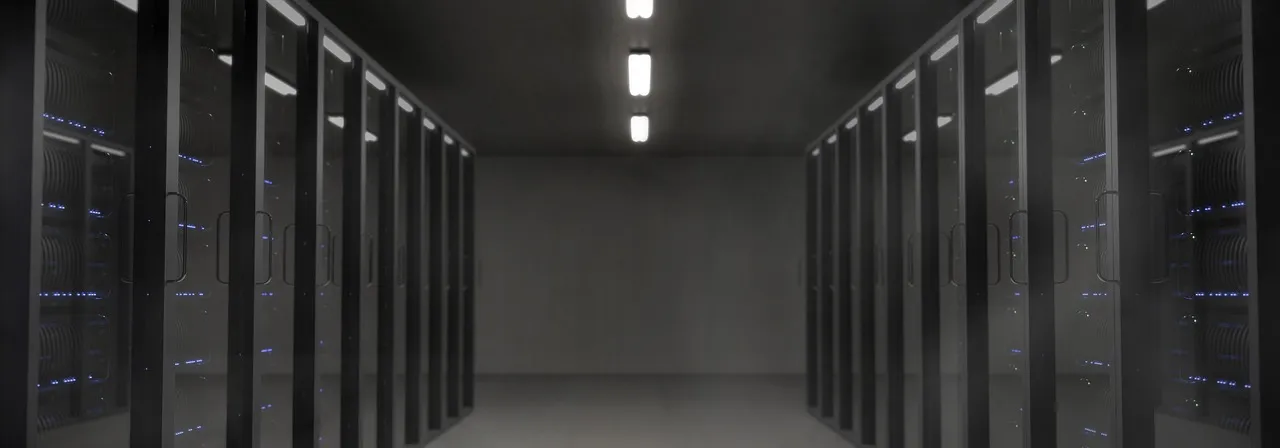
When you lease a dedicated server remote hands service, you are contracting a data centre technician — a real person standing on a raised floor surrounded by thousands of humming chassis — to perform physical tasks on your behalf inside a facility that you cannot, and likely should not, enter yourself. Remote hands is the bridge between your keyboard and the cold metal of a server rack located in a city you may never visit. It exists because renting a dedicated server in a professional data centre is fundamentally different from running a machine in your office closet: the hardware sits behind biometric locks, man-trap entry portals, and floors staffed 24/7 by personnel who control physical access. You own or lease the server, but you do not own the building, and the building's operators have legitimate security, liability, and operational reasons for not letting every customer wander the data hall with a screwdriver whenever a drive fails. Remote hands is the standardised service that resolves this tension, giving you the physical presence you need without the access you cannot have.
The term itself is somewhat misleading — it suggests casual assistance, as if a technician merely "lends a hand" during occasional emergencies. In practice, remote hands encompasses a formal, contractually defined scope of physical intervention services with documented SLAs, per-incident or bundled pricing, and a ticketing workflow that governs every interaction. When you submit a remote hands request, you are not asking a favour; you are invoking a paid service whose parameters — response time, resolution time, liability limits, and hourly or per-task charges — are spelled out in your hosting agreement or the data centre's published terms. Understanding these parameters before you need them is what separates a smooth hardware maintenance experience from a multi-day outage that erodes customer trust and revenue. For readers encountering dedicated server infrastructure for the first time, our dedicated server guide explains the hardware lifecycle, typical configurations, and the operational responsibilities that contextualise why remote hands exists as a service in the first place.
Remote hands also serves a strategic function beyond emergency response: it enables geographic independence in your infrastructure decisions. A business headquartered in Mumbai with developers in Pune and customers across India can lease a dedicated server in a Singapore, Frankfurt, or Ashburn data centre — wherever latency, peering, and regulatory requirements dictate — without maintaining staff in those cities. The remote hands technician becomes your local proxy, performing the physical work that proximity would otherwise demand. This geographic decoupling is one of the most consequential yet under-discussed advantages of the dedicated server model: it lets you place hardware exactly where it performs best for your audience, not where your office happens to be located. The quality, speed, and cost of remote hands service therefore directly expands or contracts your viable data centre geography, making it as much a strategic consideration as network transit choices or processor selection.
What Remote Hands Services Typically Cover: The Standard Inclusions
The scope of dedicated server remote hands varies across providers, but a well-defined set of physical tasks has become the industry-standard baseline that every reputable data centre and hosting company offers. These tasks share a common characteristic: they require physical access to the server chassis, rack, or cabling infrastructure, and they cannot be performed through any remote management interface — not IPMI, not iDRAC, not iLO, not SSH. The technician's value is precisely their ability to touch, move, connect, and replace hardware components that exist in the physical world. Understanding this baseline scope lets you evaluate whether a provider's remote hands offering is genuine or merely a marketing term with no operational substance, and it helps you determine whether a given task is appropriate for a remote hands ticket or whether it belongs in a different support channel entirely.
Hard Drive and Storage Device Replacements
Drive replacement is the single most common remote hands task and the one that defines most customers' first experience with the service. Storage media — HDDs, SATA SSDs, and NVMe drives — are consumable components with finite endurance. Enterprise SSDs are typically rated for 1 to 3 drive writes per day over a five-year warranty period; mechanical hard drives carry annualised failure rates between 0.5% and 3% depending on the model, batch, and operating environment. When a drive fails — indicated by a solid amber LED on the drive carrier, SMART predictive failure alerts, or a degraded RAID array — the remediation is irreducibly physical: a technician must identify the correct drive in the correct chassis, remove the failed unit, insert the replacement, and confirm that the RAID controller recognises the new drive and begins the rebuild process. Remote hands protocols for drive replacement typically require you to specify the drive's physical location (chassis slot number, serial number, or both), confirm that the replacement drive is available on-site (either from your pre-stocked spares or the provider's inventory), and authorise the swap in writing via the ticket. A well-executed drive replacement takes 15 to 30 minutes from technician arrival at the rack to rebuild initiation; a poorly executed one — where the technician pulls the wrong drive, damages a backplane connector, or fails to seat the replacement properly — can turn a routine maintenance event into a data loss incident.
RAM and CPU Upgrades and Replacements
Memory module and processor changes represent the next tier of remote hands complexity, requiring the technician to power down the server (if the component is not hot-swappable, which RAM and CPUs almost never are in standard server configurations), open the chassis, handle static-sensitive components with appropriate ESD precautions, install the new hardware, close the chassis, and power the server back on while confirming POST completion and BIOS recognition of the new components. A DIMM upgrade — adding or replacing RAM sticks — is relatively straightforward on most server platforms, with clearly labelled slots and a well-documented population order. A CPU upgrade or replacement is considerably more involved: it requires removing the heatsink, cleaning the thermal interface material from both the processor heat spreader and the heatsink base, installing the new processor with correct orientation and zero insertion force alignment, applying fresh thermal paste or a thermal pad, re-seating the heatsink with even pressure to avoid damaging the socket pins, and reconnecting any cooling fan cables. Mistakes during CPU handling — bent socket pins on LGA sockets, uneven heatsink mounting pressure, or forgetting to reconnect the CPU fan header — can result in a server that fails to POST or that overheats under load and throttles unpredictably. For this reason, many providers restrict CPU replacement to their own pre-tested spare parts and may decline to install customer-supplied processors whose provenance and handling history they cannot verify.
Cable Management and Network Recabling
Network cabling is simultaneously the simplest remote hands task to describe and one of the most prone to operational drift over time. A technician connects a designated port on your server to a designated port on a top-of-rack switch using a pre-terminated copper (Cat6/Cat6a) or fibre (single-mode or multi-mode, LC or SC connector) cable, labels both ends, and verifies link negotiation at the expected speed and duplex. Simple in theory; in practice, data centre cabling accumulates technical debt just like software. A server that has undergone three hardware refreshes, two switch migrations, and a half-dozen ad-hoc troubleshooting sessions over five years will have a cable plant that bears no resemblance to the original deployment diagram, with cables crossing multiple rack units, unlabelled connections, and abandoned patch cords dangling from cable management arms. Remote hands technicians can perform structured recabling — removing unused cables, re-routing active connections through cable management channels, labelling both ends with machine-printed or clearly handwritten tags, and documenting the resulting port map in the ticket for your records. Proper cable management is not cosmetic; it directly affects airflow through the rack, the speed at which future hardware tasks can be completed, and the probability that a technician will accidentally disconnect the wrong cable during an adjacent maintenance procedure.
Physical Power Cycling and Hard Resets
The physical reboot — pulling the power cord and plugging it back in — is the most basic remote hands task and often the most time-sensitive. When a server becomes unresponsive to all remote management channels — IPMI web interface times out, iDRAC SSH session hangs, ping returns nothing — the last resort is a physical power cycle. Remote hands technicians can perform a hard power-off by holding the power button for the prescribed duration (typically 5 to 10 seconds to force an ACPI shutdown), disconnecting and reconnecting power cables, or, in data centres with managed power distribution units, remotely cycling individual power outlets from the NOC without dispatching a technician to the floor at all. The distinction between a physical power cycle and a remote PDUs power cycle matters for response time: managed PDUs let you initiate the cycle from a control panel yourself (no ticket required), while a physical power button press requires a technician to walk to the rack, which adds 15 to 60 minutes to the resolution timeline depending on the provider's staffing and facility size. Most providers include physical reboots as a standard remote hands task, with some offering a limited number of free reboots per month (typically two to five) before per-incident charges apply.
Visual Inspections and Status Verification
Visual inspection is the remote hands task that most closely resembles "being there yourself" — a technician walks to your rack, looks at your server, and reports back what they see. The use cases are more varied than they initially appear: confirming that the power supply LEDs are green rather than amber, verifying that a specific drive carrier's activity light matches the expected pattern (solid, blinking, or off), reading the status code from a two-digit POST diagnostic display on a motherboard that has failed to boot, photographing a physical label or serial number sticker that is inaccessible through software inventory tools, or simply confirming that a server is physically present in the expected rack position after a colocation migration. Visual inspections are typically low-cost or included with other remote hands tasks because they consume minimal technician time — a 5-minute round trip from the NOC to the rack and back — and do not involve handling hardware or assuming liability for component damage. However, their diagnostic value can be disproportionately high: a single photograph of a motherboard LED error code can save hours of remote debugging, and confirmation that a server's front panel shows no signs of power (no LEDs, no fan spin) immediately rules out a dozen software-level hypotheses and focuses troubleshooting on power delivery hardware.
Racking, Unracking, and Physical Server Relocation
Racking and unracking servers is the most physically involved remote hands task and the one that carries the highest labour charges. Installing a server into a rack — lifting a 15 to 25 kg chassis into position, sliding it onto rails, securing it with cage nuts and mounting screws, connecting power and network cables, and verifying that the server powers on and passes POST — typically takes 20 to 45 minutes for an experienced technician working alone, longer for deep 4-post racks or chassis that require two-person lifting. Unracking a server for decommissioning, relocation to a different rack, or shipment to a new facility follows a similar process in reverse, with the added step of safely packing the server in appropriate shipping materials if the equipment is leaving the data centre. Many providers separate racking services into standard hours (business hours, included or discounted) and after-hours (nights, weekends, holidays, charged at 1.5x to 2x the standard rate). If you are provisioning a new dedicated server, the initial racking is almost always included in the setup fee — you are not charged a separate remote hands fee for the provider to rack a server they are selling you. If you are bringing your own hardware for colocation, or if you need to move an existing server between racks within the same facility, racking and unracking become billable remote hands events with labour charges that can range from $75 to $250 per server depending on complexity, timing, and the provider's rate card.
Illustration: Dedicated Server Remote Hands Support: What It CoversWhat Remote Hands Typically Does Not Cover: The Boundary Lines
Understanding what dedicated server remote hands excludes is as important as understanding what it includes, because misdirected expectations about the boundary between physical support and software support are the most common source of friction between customers and data centre staff. The technician standing in front of your rack is a hardware operations professional, not a system administrator. Their expertise lies in component identification, ESD-safe handling, cable routing, and physical diagnostics — not in Linux kernel parameters, Apache virtual host configuration, MySQL query optimisation, or any of the thousands of software-layer concerns that constitute the bulk of server administration work. Confusing these two domains leads to tickets that sit unresolved because they have been routed to the wrong team, followed by frustration that "remote hands" failed to deliver what was expected, when in reality the expectation was never within the service's scope.
Operating System Troubleshooting and Configuration
Remote hands technicians do not log into your operating system, period. They do not have your root password, they do not know your SSH key, and in properly administered data centres, they have no means of accessing your server's console without your explicit cooperation — and even then, console access is typically provided via an IPMI or iDRAC virtual console that you initiate, with the technician only providing the physical action (connecting a crash cart, verifying a video output) that you cannot perform remotely. If your server is kernel-panicking on boot, the remote hands technician can report what they see on the physical monitor — the panic message, the stack trace, the last line of output before the hang — but they cannot interpret that output, boot into single-user mode, run fsck on a corrupted filesystem, or rebuild an initramfs. Those are operating system administration tasks that require SSH access and system administration expertise, which fall under the category of managed support (if your provider offers it) or your own in-house operations team. The technician can perform a physical power cycle to attempt a clean reboot; they cannot debug why the reboot results in the same kernel panic.
Software Installation, Configuration, and Updates
Installing a LAMP stack, configuring Nginx virtual hosts, setting up a MySQL replication topology, deploying a Docker container, applying OS security patches, or upgrading PHP from version 8.1 to 8.3 — none of these are remote hands tasks. They are software administration tasks that require access to the operating system and the application layer, which are firmly outside the remote hands scope. Some providers blur this line by offering tiered support plans where "advanced remote hands" or "managed support" includes basic software tasks performed by an on-site systems administration team (as distinct from the hardware technicians who perform physical remote hands). However, this is a separate service with separate pricing, and it is important to confirm whether your provider's "remote hands" includes any software-scope work or is strictly limited to physical interventions. Our dedicated server guide covers the managed-versus-unmanaged support spectrum in detail, including how to evaluate whether a provider's managed support tier genuinely includes proactive administration versus merely offering reactive break-fix assistance.
Performance Tuning and Optimisation
Performance tuning — adjusting kernel sysctl parameters, configuring database buffer pool sizes, optimising web server worker processes, analysing slow query logs, or profiling application code — is entirely a software-layer discipline that remote hands technicians are neither trained for nor compensated to perform. If your dedicated server's load average is spiking at predictable times each day, a remote hands technician can confirm that the CPU fans are spinning, the chassis intake temperature is within normal range, and no hardware fault LEDs are illuminated — all of which rule out thermal or hardware causes for the performance issue. They cannot identify which process is consuming CPU cycles, which database query is generating table scans, or which web server configuration directive is limiting concurrent connections. Performance tuning requires systems administration or DevOps expertise applied through remote access to the server, and it is either your responsibility or a service you purchase separately through a managed hosting agreement. This distinction is particularly important to internalise because performance problems often feel "physical" — the server is slow, so something must be wrong with the hardware — when in reality they are almost always software configuration issues that no amount of hardware manipulation will resolve.
Remote Hands Pricing Models: Per-Incident, Monthly Packages, and Included Support
The economics of dedicated server remote hands follow a spectrum from purely transaction-based (you pay for each discrete task) to fully bundled (remote hands is included in your monthly hosting fee as part of a managed service agreement). Understanding where your provider falls on this spectrum — and what triggers additional charges — is essential financial planning for any infrastructure that may require periodic physical intervention. The pricing model also shapes your behaviour: when remote hands is expensive per-incident, you batch tasks and avoid unnecessary tickets; when it is included or cheap, you use it freely for preventive maintenance, inspections, and minor adjustments that keep the hardware in optimal condition. Both approaches have merits and tradeoffs, and the right model depends on the predictability of your hardware needs and the criticality of rapid physical response when something breaks.
Per-Incident Pricing: The à la Carte Model
Per-incident pricing is the most common remote hands model in the dedicated server and colocation markets, and it charges a flat fee or hourly rate for each discrete task. Standard tasks — drive swaps, DIMM replacements, physical reboots, visual inspections — typically cost between $50 and $75 per incident during business hours, rising to $100 to $150 per incident for nights, weekends, and holidays. More complex tasks — racking a new server, recabling an entire cabinet, performing a CPU upgrade that requires heatsink removal and thermal paste application — are billed hourly at rates between $100 and $200 per hour, with one-hour minimums common. The per-incident model is transparent and easy to understand, but it creates a subtle behavioural incentive to delay or avoid maintenance: if every drive swap costs $75, you might be tempted to leave a drive with rising SMART error counts in service longer than is prudent, hoping it survives until the next scheduled maintenance window when you can batch multiple tasks into a single ticket. Providers typically batch multiple tasks requested in a single ticket into one incident charge, which rewards thoughtful planning — if you need two drives swapped and a DIMM added, request all three in one ticket rather than three separate tickets and you will likely be charged one incident fee rather than three.
A growing number of dedicated server providers offer monthly remote hands packages that bundle a set number of included incidents or hours for a fixed recurring fee. A typical package might include two to four remote hands incidents per month for $50 to $100, with additional incidents beyond the bundle charged at a discounted per-incident rate. For businesses that anticipate regular physical maintenance — monthly drive health verification walks, quarterly hardware audits, or frequent RAM upgrades as workloads grow — these packages reduce the per-incident cost by 30% to 50% compared to à la carte pricing and remove the psychological friction of initiating a paid ticket for every minor task. The break-even point for a package versus per-incident billing is straightforward math: if your average per-incident cost à la carte is $75, and a $75 monthly package includes two incidents, you break even at two incidents per month and save on every incident beyond that. Businesses that use remote hands fewer than once per month on average are almost always better off with per-incident pricing; businesses that average two or more incidents per month will typically save money with a package.
Remote Hands Included with Managed Dedicated Hosting
At the top end of the service spectrum, fully managed dedicated server plans — where the provider takes responsibility for OS patching, security hardening, monitoring, backup management, and application stack support — almost always include unlimited or near-unlimited remote hands as part of the monthly fee. The economic logic is straightforward: the managed hosting provider charges a premium ($100 to $300+ per month above the bare-metal server cost) that covers the labour of their systems administration team, and that team will generate remote hands tickets as part of their standard operational procedures — swapping a drive that monitoring flagged as failing, adding RAM because performance metrics show memory pressure, or re-racking a server during a planned data centre migration. Including remote hands in the managed fee eliminates the perverse incentive for the provider's own sysadmin team to avoid necessary hardware work because of per-incident charges. For businesses that want the performance and exclusivity of dedicated hardware without staffing a 24/7 operations team, the managed-dedicated-with-remote-hands bundle is the most operationally seamless option, albeit at the highest monthly cost. For context on how dedicated server economics compare with cloud alternatives, our big data hosting analysis examines the total cost of ownership tradeoffs that make managed dedicated infrastructure viable for data-intensive workloads.
How to Request Remote Hands Efficiently: Ticket Details and SLA Expectations
A well-written remote hands ticket is the difference between a 30-minute resolution and a 4-hour back-and-forth that delays the actual work until the next shift change. Data centre technicians process dozens of tickets per shift across hundreds or thousands of servers they have never seen before, and their ability to execute your request correctly and quickly depends entirely on the clarity, specificity, and completeness of the information you provide. A vague ticket — "server not responding, please check" — forces the technician to spend valuable response time playing detective: locating your server in the DCIM (Data Centre Infrastructure Management) database, deciphering which of several unresponsive machines is yours, guessing what "check" means, and potentially performing unnecessary actions that waste billable time. A precise ticket — with rack location, chassis position, asset tag, serial number, specific component identification, and explicit requested action — lets the technician walk directly to the correct server, perform the exact task required, and close the ticket on the first visit. The difference is not merely one of efficiency; for time-sensitive outages, it is the difference between a brief blip in your monitoring dashboard and a multi-hour outage that violates your own SLA commitments to your customers.
Every remote hands ticket should include five categories of information. First, exact physical location: rack number, rack unit position (U-number, typically stencilled on the rack rails), and any additional location identifiers the data centre uses (cage number, suite, floor, row). Second, server identification: the server's asset tag or service tag (a sticker on the front or top of the chassis applied by the provider or manufacturer), the chassis make and model (Dell PowerEdge R740, HPE ProLiant DL380 Gen10, Supermicro SYS-6029P), and the serial number. Third, the specific component to be addressed: for a drive replacement, the drive slot number (Slot 0 through Slot 7 on the front panel), the drive's serial number, and the drive's capacity and interface type; for a RAM upgrade, the DIMM slot labels (DIMM_A1, DIMM_B2) according to the server's service manual population order. Fourth, the explicit action requested: "Remove the failed drive in Slot 3, serial number WD-XXXXXXXX, and replace it with the cold spare drive currently stored loose in the rack shelf above the server. Confirm the RAID controller recognises the new drive and begins the rebuild process. Do not remove any other drives." Fifth, your contact information and availability: a phone number that will be answered, your time zone, and any windows during which you are unavailable to respond to clarifying questions. Omitting any of these categories increases the probability of a multi-round clarification cycle that adds hours to the resolution time.
SLA expectations for remote hands vary considerably across providers and service tiers. Enterprise-grade data centres (Equinix, Digital Realty, CyrusOne) typically promise a 15 to 30-minute initial response (a technician acknowledges the ticket and begins working on it) for critical issues during business hours, with 1 to 2-hour response outside business hours if you have purchased 24/7 remote hands coverage. Mid-tier dedicated server providers (Hetzner, OVH, ReliableSite) typically commit to 30 to 60-minute response during business hours and 2 to 4 hours outside business hours. Budget providers may offer no SLA at all, with response times varying from 1 hour to 24 hours depending on staffing and ticket volume. The SLA for task completion — as distinct from initial response — is harder to pin down because it depends on the task's complexity, but standard tasks (drive swaps, reboots, visual inspections) should complete within 30 to 60 minutes of technician arrival at the rack, while multi-hour tasks (racking, recabling, complex hardware diagnosis) will naturally take longer. When evaluating a provider's remote hands SLAs, pay attention to what the SLA actually guarantees: some guarantee only that a technician will "respond" to the ticket (send a message acknowledging it), not that any work will be performed within the SLA window. An SLA that guarantees 15-minute response but carries no commitment to 15-minute resolution is of limited value for a production outage where every minute of downtime counts.
Remote Hands vs Smart Hands vs Managed Support: Understanding the Tiers
The terminology around data centre support services is confusing by design — providers use "remote hands," "smart hands," "gold hands," "advanced support," and "managed services" as overlapping marketing terms whose definitions shift from one provider to the next. However, a functional hierarchy has emerged across the industry that maps roughly to the technical depth and decision-making authority granted to the technician performing the work. Understanding this hierarchy lets you purchase the right level of support for your team's capabilities and your workload's requirements, rather than overpaying for expertise you do not need or under-purchasing support that leaves you stranded during complex failures.
Remote hands is the base tier: the technician performs precisely the physical task you describe, exactly as you describe it, with no independent diagnosis, no deviation from your written instructions, and no assumption of responsibility for outcomes beyond the physical execution of the task. You tell them "replace the drive in Slot 3 with the spare in the rack shelf," and they replace exactly that drive with exactly that spare — they do not question whether Slot 3 is actually the failed drive, whether the spare is compatible, or whether the RAID array is in a state where a drive swap is safe. Remote hands is a physical execution service, not a consulting or diagnostic service, and the liability for the correctness of your instructions rests entirely with you.
Smart hands is the intermediate tier, and the "smart" refers to the technician's authority to apply basic diagnostic reasoning and technical judgement within a defined scope. A smart hands technician, given the same drive failure scenario, might notice that the amber LED is on Slot 4 rather than Slot 3, cross-reference the drive serial number you provided against the physical labels, and contact you to confirm the correct slot before proceeding — potentially preventing a wrong-drive-pulled incident. Smart hands typically includes basic OS-level tasks that remote hands explicitly excludes: booting a server into a rescue environment from IPMI virtual media, running a filesystem check, checking RAID array status via the controller's command-line utility, or verifying that a replacement component is detected in the BIOS. Smart hands technicians are generally more experienced (senior data centre operations staff rather than junior technicians) and command higher hourly rates — typically $125 to $200 per hour versus $75 to $150 for standard remote hands. The "smart" in smart hands does not mean the technician is a systems administrator; it means they have enough cross-domain knowledge to connect physical observations to likely software states and to exercise judgement about when to follow instructions literally and when to pause and seek clarification.
Managed support is the top tier and represents a fundamentally different service relationship: the provider assumes ongoing responsibility for the health, security, and performance of your server, including proactive monitoring, patch management, backup verification, and incident response. Under a managed support agreement, you do not submit remote hands tickets — the provider's monitoring system detects a failing drive, automatically generates a replacement ticket, dispatches a technician, and notifies you when the replacement is complete and the RAID array has finished rebuilding. Managed support shifts the operational burden from your team to the provider's team, and the remote hands component is absorbed into the managed service workflow rather than being a discrete, customer-initiated transaction. This is the model that most businesses ultimately adopt when their infrastructure grows beyond what a small in-house team can manage around the clock, and it is the model that HostingCaptain has found most consistently delivers reliable uptime for production workloads. The tradeoff is cost: managed support adds $100 to $400+ per month per server compared to unmanaged dedicated hosting, though that premium often replaces a larger expense — the salary of a systems administrator or the revenue loss from unplanned downtime — making it a net savings for many organisations. For a broader exploration of how cloud infrastructure differs from managed dedicated in terms of operational overhead, our startup cloud hosting guide examines the staffing and automation tradeoffs that different hosting models demand.
Which Dedicated Server Providers Offer the Best Remote Hands Support
The quality of dedicated server remote hands is not uniform across providers — it varies substantially based on whether the provider owns and operates the data centre (giving them direct control over technician hiring, training, and staffing levels) or resells space in a third-party facility (making remote hands quality dependent on a partner whose priorities may not fully align with yours). Provider size, geographic footprint, and target customer profile also shape the remote hands experience: a provider serving enterprise clients with six-figure annual contracts maintains different technician staffing levels and training standards than a provider serving hobbyists and small businesses at the budget end of the market. The provider profiles below are based on HostingCaptain's direct experience, community feedback monitoring across hosting forums, and publicly available SLA documentation, and they focus on the remote hands dimension specifically rather than providing general provider reviews.
Hetzner — Automation-First with Solid Physical Support
Hetzner's approach to remote hands reflects their broader operational philosophy: automate everything that can be automated, and staff physical support for the tasks that cannot. Hetzner's data centres in Germany and Finland are company-owned and operated, with technicians on-site 24/7 across all facilities. Their remote hands service is accessed through the Robot management interface rather than a traditional ticketing system — you select the task type, provide the server identifier (which the Robot system maps to the correct rack and chassis location), and specify any necessary details. Standard tasks like drive replacements are partially automated on the backend: when monitoring detects a failed drive, the system can automatically generate a replacement ticket with the correct drive location and specification, reducing the chance of human error in the ticketing process. Response times for critical remote hands tasks (server down, hardware failure) are typically 30 to 60 minutes during business hours and 1 to 2 hours outside business hours, with faster response for servers covered by their managed support add-on. Hetzner's remote hands pricing is notably transparent — most common tasks have fixed prices published on their website rather than requiring a quote, which eliminates billing surprises.
OVHcloud — Tiered Remote Hands Across Brand Lines
OVHcloud operates multiple dedicated server brands — Kimsufi, SoYouStart, and the main OVHcloud dedicated line — and the remote hands experience differs meaningfully across them. At the Kimsufi and SoYouStart budget tiers, remote hands is reactive, hardware-scoped, and relatively slow — drive replacements during business hours may take 2 to 4 hours, while after-hours replacements can extend to 8 to 12 hours or the next business day, reflecting the lower technician-to-server ratio and shallower spare parts inventory at the budget tier. At the main OVHcloud dedicated tier, remote hands response improves to 30 to 60 minutes for critical issues, with proactive hardware monitoring that automatically generates replacement tickets and a more robust on-site spare parts inventory. OVH's anti-DDoS protection infrastructure (VAC) operates independently of remote hands but complements it: when a DDoS attack saturates your server's network link, the mitigation happens at the network edge without requiring physical intervention, but if the attack causes hardware-level issues (overheating from sustained 100% CPU while processing attack traffic), remote hands may be needed to investigate or replace affected components.
Equinix — Enterprise-Grade Remote and Smart Hands
Equinix operates at the premium end of the data centre market, and their remote hands service reflects an enterprise price point and service level. Equinix offers both standard remote hands (physical tasks executed exactly as instructed) and smart hands (technicians with authority to apply diagnostic reasoning, perform basic OS-level troubleshooting, and exercise judgement within defined parameters). Response times are contractually defined and typically aggressive: 15-minute initial response for critical issues during business hours, 1-hour response outside business hours, with resolution targets that vary by task complexity. Equinix's global footprint — 240+ data centres across 27 countries — makes their remote hands service particularly valuable for businesses with infrastructure spread across multiple regions, because the same ticket submission process, SLA framework, and service quality standards apply regardless of which Equinix facility your server occupies. The tradeoff is cost: Equinix remote hands hourly rates are among the highest in the industry, typically $150 to $250 per hour for standard remote hands and $200 to $350 per hour for smart hands, with minimum charges that can make even a simple drive swap a $150+ expense. For businesses whose downtime costs are measured in thousands of dollars per minute, the premium is justified by the response speed and technical competence. For businesses with more modest uptime requirements, mid-tier providers deliver adequate remote hands at a fraction of the cost.
US-Based Providers — ReliableSite, Hivelocity, and Psychz
Several US-based dedicated server providers have built reputations for responsive, competent remote hands that punches above their price point. ReliableSite, operating data centres in the New York/New Jersey metro area and Miami, offers 24/7 remote hands with a stated 15-minute initial response time for critical issues — an SLA more commonly associated with enterprise providers — included with their dedicated server plans at no additional per-incident cost for most standard tasks. Hivelocity, based in Tampa with additional facilities in Dallas, Los Angeles, and New York, similarly includes basic remote hands (reboots, drive swaps, visual inspections) in their managed and semi-managed dedicated server plans, with more complex tasks billed hourly at transparent, pre-published rates. Psychz Networks, operating in Los Angeles and Dallas, offers remote hands with a focus on DDoS-mitigated infrastructure, where physical intervention is often needed to replace hardware that has been stressed by sustained attack traffic. Across these providers, the common thread is an operational culture that treats remote hands as a core competency rather than an ancillary service — the technicians are employed directly by the hosting company, trained on the specific hardware configurations the company deploys, and empowered to resolve issues without excessive escalation. For businesses seeking dedicated servers in US data centres with responsive physical support, these providers consistently appear in positive community discussions about remote hands experiences.
When Remote Hands Saves You vs When You Should Colocate Nearby
The decision to rely on a provider's dedicated server remote hands rather than colocating your own hardware in a facility you can physically visit is ultimately a calculation of cost, response time, and control. Remote hands works brilliantly for organisations whose hardware needs are predictable — you know which components might fail, you know the replacement parts required, and the tasks are straightforward enough to describe in a ticket without ambiguity. Drive replacements, RAM upgrades, and physical reboots fall squarely in this category. Remote hands becomes strained when hardware issues are intermittent, diagnostic in nature, or require iterative investigation — a server that crashes once every three days under specific load conditions, a network port that drops packets only during peak traffic hours, or a cooling issue that appears sporadically and requires repeated physical inspection across multiple visits. These scenarios demand the kind of hands-on, iterative, multi-visit investigation that is prohibitively expensive at per-incident pricing and logistically difficult to coordinate through ticketing systems designed for discrete, well-defined tasks.
Colocating your own hardware in a nearby facility — one within driving distance of your office or your technical staff's homes — changes the economics of physical intervention entirely. When "remote hands" becomes "drive to the data centre and do it yourself," the per-incident cost drops to the fuel or transit fare to reach the facility, and the response time becomes however long it takes your technician to arrive on-site rather than however long it takes a provider's technician to work through their ticket queue. The tradeoffs are the upfront capital expenditure to purchase the server hardware (rather than spreading the cost over monthly lease payments), the ongoing responsibility for hardware warranty management and spare parts procurement, and the geographic constraint that your data centre must be physically accessible to your staff — which may rule out the optimal network locations for your audience. For a deeper comparison of the rental-versus-colocation financial equation, our colocation versus renting guide models the five-year total cost of ownership across both approaches and identifies the operational scale at which colocation becomes the lower-cost option.
The middle ground that many growing businesses adopt is renting dedicated servers from a provider with strong remote hands in the facility that best serves their audience — the Singapore data centre for ASEAN customers, the Frankfurt data centre for European customers — while maintaining a small colocation presence in a nearby facility for hardware that requires frequent physical access or that serves as a staging environment where the team can experiment with hardware configurations before deploying them to production. This hybrid model captures the geographic optimisation of remote hands for latency-sensitive production workloads while preserving the hands-on control of local colocation for development, testing, and rapid prototyping. The key to making this model work is selecting a remote hands provider whose quality you trust for the distant production hardware, because when that server develops a problem at 3 AM local time, your only option is the ticket submission button and your confidence that the technician who picks up the ticket will handle your server with the same care you would.
An emerging consideration that affects the remote-hands-versus-colocation calculus is the increasing role of AI hosting infrastructure, particularly GPU servers. GPU servers — machines with 4 to 8 NVIDIA H100 or A100 accelerators — are physically larger, heavier, consume more power, and generate more heat than standard CPU servers. The physical logistics of racking, cabling, and maintaining GPU servers are more demanding, and the consequences of mishandling are more expensive (a single damaged H100 GPU represents a $25,000 to $35,000 loss). For GPU-heavy workloads, remote hands quality becomes a hard requirement rather than a nice-to-have, because GPU servers are not commodity hardware that can be easily replaced or repaired at a local shop. This tilts the decision toward providers with proven, well-documented remote hands capabilities — and toward managed hosting arrangements where the provider assumes liability for hardware handling — even if those providers are geographically distant from your primary operations. For additional external perspective on the cloud infrastructure fundamentals that underpin modern hosting decisions, Cloudflare provides a useful overview of cloud computing concepts that contextualises how different hosting models — including dedicated servers with remote hands — fit into the broader infrastructure landscape.
The HostingCaptain Perspective: Making Remote Hands Work for Your Business
At HostingCaptain, we have observed that the businesses most satisfied with their remote hands arrangements share a common approach: they treat remote hands as a process to be optimised rather than a service to be consumed passively. They create internal documentation — rack diagrams, asset tag inventories, component serial number lists, and annotated photographs of their server configurations — that makes every remote hands ticket precise and unambiguous. They maintain pre-written ticket templates for common tasks (drive replacement, RAM upgrade, physical reboot) that pre-populate all the required information and can be submitted within minutes of detecting a problem. They establish relationships with their provider's support management — not just the individual technicians — so that recurring issues are addressed at the process level rather than through repeated one-off tickets. And they audit their remote hands usage periodically, comparing actual incidents against package break-even points to ensure they are on the most cost-effective pricing model for their actual (rather than anticipated) usage patterns.
These businesses also understand a subtler truth about remote hands: the quality of the service is ultimately a function of the provider's operational culture, not just their documented SLAs. A provider that invests in technician training, maintains deep spare parts inventories, staffs adequately across all shifts, and empowers technicians to exercise judgement within defined boundaries will deliver better remote hands outcomes than a provider with a stricter SLA on paper but a disengaged workforce and a minimal spare parts cage. The corollary is that remote hands quality should be weighted heavily in provider selection — as heavily as processor specifications, network quality, or monthly pricing — because a server whose hardware failures are resolved in 30 minutes is fundamentally a different infrastructure asset than an identically specified server whose hardware failures take 8 hours to address. When evaluating providers, look beyond the remote hands SLA document and seek out unsolicited community feedback about actual remote hands experiences. Forums like WebHostingTalk, LowEndTalk, and the r/sysadmin and r/webhosting subreddits contain years of candid discussion about which providers' remote hands teams respond quickly and competently and which generate recurring complaints about slow response, incorrect work, or poor communication.
For most growing businesses, the optimal remote hands strategy is not to minimise remote hands expenditure — it is to invest in the right level of remote hands to keep hardware-related downtime below the threshold that affects customer experience and revenue. A server generating $5,000 per month in e-commerce revenue loses approximately $7 per hour of downtime. At $75 per incident, a remote hands drive swap that takes 1 hour from ticket submission to RAID rebuild initiation costs $75 in remote hands fees plus $7 in lost revenue — $82 total for an incident that might have cost $1,050 in lost revenue if the drive failure had occurred at midnight on a Friday and the provider had no after-hours remote hands coverage. The remote hands expense is not the cost to optimise away; it is the insurance premium that converts a potentially catastrophic multi-day outage into a brief, manageable maintenance event. The businesses that internalise this framing — remote hands as uptime insurance rather than an operational cost centre — make better provider choices and experience fewer painful outages than those who treat remote hands as an unwelcome line item to be minimised at all costs. For readers evaluating their broader dedicated server strategy, our dedicated server guide provides the foundational context needed to make integrated decisions about hardware, location, management level, and support services.
Frequently Asked Questions About Dedicated Server Remote Hands
What exactly is dedicated server remote hands support?
Dedicated server remote hands is a service provided by data centres and hosting companies where on-site technicians perform physical tasks on your behalf — such as replacing failed hard drives, installing additional RAM, managing cables, performing physical reboots, conducting visual inspections, and racking or unracking servers. It exists because most dedicated server customers do not have physical access to the data centre where their hardware is located, and the facility's security and operational policies prohibit unsupervised customer access to the data hall. Remote hands gives you a physical presence in the data centre without requiring you to be there in person, enabling you to lease servers in optimal geographic locations regardless of where your own staff are based.
How much does remote hands support typically cost?
Remote hands pricing follows three common models: per-incident pricing ($50 to $150 per standard task like a drive swap or reboot, with higher rates for after-hours work), monthly packages ($50 to $100 per month for two to four included incidents, with discounted rates for additional tasks beyond the bundle), and inclusion with managed dedicated hosting plans (unlimited or near-unlimited remote hands bundled into the monthly hosting fee). Complex tasks like server racking, full-cabinet recabling, or CPU upgrades are typically billed hourly at $100 to $200 per hour. The right model depends on your anticipated usage frequency: fewer than one incident per month favours per-incident pricing, while two or more incidents per month makes a package or managed plan more cost-effective.
What is the difference between remote hands and smart hands?
Remote hands is a physical execution service: the technician performs exactly the task you describe, with no independent diagnosis or judgement. Smart hands is an intermediate tier where the technician has the training and authority to apply basic diagnostic reasoning — cross-referencing your instructions against physical observations, running basic hardware diagnostic commands, or making judgement calls about when to proceed with a task and when to stop and seek clarification. Smart hands technicians typically have more experience and command higher hourly rates ($125 to $200+ per hour). Neither remote hands nor smart hands includes full systems administration; both are distinct from managed support, where the provider assumes ongoing responsibility for monitoring, patching, backup management, and incident response.
Will a remote hands technician troubleshoot my operating system if it won't boot?
No. Remote hands technicians do not log into your operating system, do not have your credentials, and are not trained in OS-level troubleshooting. They can report what they see on a physical monitor connected to your server — kernel panic messages, POST error codes, boot loader errors — and they can perform a physical power cycle to attempt a clean reboot. Diagnosing and fixing the underlying OS issue (corrupted bootloader, misconfigured kernel parameters, filesystem errors) is your responsibility or a task for the provider's managed support team if you have purchased managed services. Remote hands is a physical intervention service, not a systems administration service.
Which dedicated server providers have the best remote hands support?
Provider quality varies by tier and region. Hetzner (Germany/Finland) offers automated, transparent remote hands with 30 to 60-minute typical response for critical issues at competitive per-incident prices. OVHcloud provides tiered remote hands — responsive at the main dedicated tier, slower at the Kimsufi/SoYouStart budget tiers. Equinix delivers enterprise-grade remote and smart hands with 15-minute initial response SLAs across 240+ global data centres, at premium hourly rates. US-based providers including ReliableSite, Hivelocity, and Psychz Networks have earned strong reputations for including quality remote hands with their dedicated server plans. Community forums like WebHostingTalk and r/webhosting are valuable resources for candid feedback on specific providers' remote hands performance.
What information should I include in a remote hands support ticket?
Every remote hands ticket should include five categories of information: exact physical location (rack number, rack unit position, cage/suite/row identifiers); server identification (asset tag, chassis make/model, serial number); the specific component to be addressed (drive slot number, drive serial number, DIMM slot labels — be as precise as possible); the explicit action requested (exactly what you want the technician to do, in what order, with any precautions noted); and your contact information and availability for follow-up questions. The more precise your ticket, the faster the technician can locate your server and execute the task correctly on the first visit, reducing both downtime and billable time spent on clarifying communication.
Can I send my own replacement hardware to the data centre for remote hands to install?
Most providers allow customers to ship replacement components or spare parts to the data centre for remote hands installation, but policies vary. Common requirements include: the shipment must be addressed to the data centre's designated receiving department with your account identifier clearly marked; the components must be new or certified refurbished with anti-static packaging intact; the provider may inspect the components before installation and reserve the right to refuse installation of hardware that appears damaged, incompatible, or improperly packaged; and you bear the liability for any damage caused by customer-supplied hardware. Some providers prohibit customer-supplied CPUs or motherboards due to the higher risk of installation errors and damage. Always confirm your provider's specific policy on customer-supplied parts before shipping anything to the data centre.
Is remote hands available 24/7, or only during business hours?
This varies significantly by provider and service tier. Enterprise-grade providers (Equinix, Digital Realty) and managed hosting companies typically offer 24/7/365 remote hands coverage, with after-hours work charged at a premium (1.5x to 2x the standard business-hours rate). Mid-tier dedicated server providers may offer 24/7 remote hands for critical issues (server down, hardware failure) while restricting non-critical tasks (visual inspections, cable management, elective upgrades) to business hours. Budget providers may offer remote hands only during business hours, with no after-hours coverage at all — a drive failure at 8 PM on Friday may wait until 9 AM Monday for a technician to address it. When evaluating a provider for production workloads, after-hours remote hands availability should be confirmed in writing before signing a contract, because the absence of overnight and weekend coverage can turn a routine hardware failure into a multi-day outage.
How long does a typical remote hands task take to complete?
Standard remote hands tasks have well-established completion timeframes: a drive replacement takes 15 to 30 minutes from technician arrival at the rack to RAID rebuild initiation; a RAM upgrade (DIMM installation) takes 15 to 30 minutes including server shutdown, installation, and POST verification; a physical reboot takes 5 to 15 minutes; a visual inspection takes 5 to 10 minutes; and racking a new server takes 30 to 60 minutes. The total time from ticket submission to task completion adds the provider's response time (anywhere from 15 minutes to 4+ hours depending on SLA and time of day) to the task execution time. More complex or diagnostic tasks — troubleshooting intermittent hardware faults, recabling an entire cabinet, or replacing a motherboard — can take 2 to 6+ hours and may require multiple technician visits if the first round of diagnosis narrows but does not isolate the root cause.
Does remote hands cover data centre migrations — moving my server to a different facility?
Remote hands covers the physical tasks involved in a data centre migration — unracking the server from its current location, packing it for transport, and racking it at the destination facility — but the full migration process involves more than physical handling. You are responsible for the logistics of data synchronisation between the old and new locations, DNS or IP address changes, coordination of the shipping or transport between facilities, and verification that the server functions correctly in its new environment. Many providers offer migration assistance as a separate service from standard remote hands, with project-based pricing that covers the end-to-end relocation process. If you are planning a data centre migration, confirm with your provider whether their remote hands team handles the physical aspects of the move and whether you need to engage a separate logistics or project management resource to coordinate the non-physical components.
Arjun Mehta is a cloud infrastructure consultant specializing in bare-metal architectures, network routing, and high-traffic database clustering.
Frequently Asked Questions
This guide covers the practical decision points — pricing, performance, and when it makes sense for your situation — based on current 2026 data.
Pricing varies by provider and plan tier; see the cost breakdown section above for current ranges and what's actually included at each price point.
Look closely at uptime guarantees, renewal pricing (not just the first-year discount), and how responsive support actually is — all covered in detail in this article.
Hosting Captain has been exceptional for my e-commerce store in Pune. The NVMe SSD speed is
noticeable, and their support team responds within minutes. Highly recommended for any
Indian business!
Ryan John, Pune
Great Value for Money
Switched from a US-based host to Hosting Captain and my website loads 3x faster for Indian
visitors. The free SSL and cPanel are great, and the pricing is unbeatable. Very satisfied
customer!
Priya Mehta, Mumbai
Reliable VPS Hosting
I've been using their VPS plan for 2 years now. 99.9% uptime is not just a claim — it's
reality. My client projects run without interruption. The KVM virtualization gives me full
control I need.
Amit Kumar, Bangalore
Excellent 24/7 Support
The support team helped me migrate my entire WordPress site at 2 AM without any downtime.
This level of service is rare in Indian hosting. Worth every rupee!
Sunita Patel, Ahmedabad
Perfect for Startups
As a startup, budget matters. Hosting Captain's Business plan covers everything we need —
multiple websites, free SSL, daily backups — at a fraction of what international hosts
charge.
Vikram Singh, Delhi
Professional Dedicated Server
Our high-traffic news portal needed a dedicated server. Hosting Captain's DS Business plan
handles 100K+ daily visitors effortlessly. Their team provisioned everything within 4 hours!
Meena Krishnaswamy, Chennai
Trusted Technologies & Partners
Start Your Website with Hosting Captain
From personal blogs to enterprise solutions, we've got you covered!